

The day after defining success metrics, Stefan and Andrea returned to begin what they called the “discovery and configuration phase.” Sarah had assumed this meant installing software and setting up user accounts. She was wrong.
“Before we configure anything,” Stefan said, pulling up a spreadsheet, “we need to validate your master data. The scheduling software will use your Business Central routings, BOMs, work center and machine center definitions, and shop calendars. If those contain errors or outdated information, the schedule will be wrong no matter how good the software is. Master data quality is the foundation that determines whether scheduling software succeeds or fails.”
He clicked through several examples. “We’ve extracted your current data from Business Central. Let’s walk through what we found.”
The first item showed a bearing housing routing with seven operations. Stefan highlighted operation 3. “This operation shows a work center called ‘Mazak #6’ with a runtime of 90 minutes. Patrick, do you have a Mazak #6?”
Patrick checked Business Central. “We have Mazak #1 through #5 and Mazak #7. There is no longer Mazak #6. We retired an old machine three years ago when we bought Mazak #7, but apparently somebody created routings for #6 instead of #7.”
“How many routings might have this problem?” Emma asked.
“We found 47 references to work and machine centers that don’t exist in your shop calendar,” Stefan replied. “Some might be typos, some might be retired equipment, some might be operations you now outsource. We need to review each one.”
Sarah felt her stomach sink. “47 routings to review?”
“That’s just the most critical category,” Andrea said gently. “We’ve categorized all the data issues we found into three groups.”
The Three Categories
Stefan pulled up a comprehensive analysis. “Let me walk you through our prioritization framework. Not all data errors are equal. Some will completely break scheduling. Others create inefficiency. We need to focus appropriately.”
He displayed three categories on screen:
Category One – Data That Makes Scheduling Impossible:
- Work centers that don’t exist (47 instances)
- Missing routings for active items (12 instances)
- Routings that reference retired machines (23 instances)
- Circular routing dependencies (2 instances found)
“These must be fixed before go-live,” Stefan emphasized. “If the scheduling software tries to schedule work on non-existent machines, it will fail. If routings are missing, jobs can’t be scheduled. These are showstoppers.”
Category Two – Data That Makes Scheduling Inaccurate:
- Operation times that are rough estimates rather than measured (approximately 60% of all operations)
- Routing steps that reference to the wrong machine and/or work center (estimated: 12% of all routings)
- Missing or incomplete setup times (89 operations)
- Incorrect capacity definitions
- Operations sometimes combined but shown separately in routings
- Shop calendars showing 24/7 availability when machines only run one shift
- External operations not properly assigned to subcontracting work center
“These won’t break scheduling, but they’ll make schedules unreliable,” Andrea explained. “If operation times are 30% off, schedules will be 30% wrong. We should fix as much of category two as possible, prioritizing by production volume.”
Category Three – Data That Makes Scheduling Suboptimal:
- Minor timing variations (operations that vary by 10-15% based on operator or conditions)
- Routing lines with zero duration (material handling, waiting time)
- Sequence preferences that aren’t hard constraints
- Setup time variations based on the previous job
“Category three can be ongoing improvement,” Stefan concluded. “These issues affect optimization but not basic functionality. Fix them gradually over the first six months as you learn what really matters.”
Emma looked at the analysis. “This is exactly the pragmatic framework we need. Let’s execute it. Category one gets fixed this week. Category two, we tackle systematically by volume. Category three goes on our continuous improvement list.”
Fixing Category One
Patrick pulled up the list of 47 non-existent work centers. “Let me start with these. Most are probably simple errors—typos, old machine numbers, copy-paste mistakes.”
He worked through the list methodically over the next two hours, with Otto consulting when needed:
- Mazak #6 → should be Mazak #7 (17 routings corrected)
- “Lathe-Old” → should be “Lathe #2” (8 routings corrected)
- “Drill-Main” → should be “Drill #1” (6 routings corrected)
- “HT-Internal” → heat treatment is outsourced, should be “HT-External” (11 routings corrected)
- Various other typos and outdated references (5 routings corrected)
“That’s 47 routings fixed in two hours,” Patrick reported. “Category one, first part done.”
The missing routings were simpler than expected. “These twelve items don’t actually need routings,” Otto explained. “They’re hardware items we buy and resell—bolts, washers, standard fittings. Somebody set them up as manufactured items by mistake.”
Patrick reclassified them as purchased items in Business Central. “Twelve missing routings resolved—they shouldn’t have been manufactured items at all.”
“It seems that we are done with category one already. As we have a bit of time left today, I suggest that we start with category two and select an easy candidate”, Stephan concluded.
“What do you have in mind?” Sarah asked. – “Let’s look at your shop calendars. They look weird, if you ask me.”
“Business Central shows all machines available 168 hours per week—24/7,” Patrick explained. “But we run one shift, Monday through Friday, 7 AM to 4 PM with a one-hour lunch break. That’s 40 hours per week per machine, not 168.”
“Why does it show 24/7?” Klaus asked.
“Because when we implemented Business Central, we thought that this would give us the least constraints,” Patrick admitted. “And nobody updated it after initial setup.”
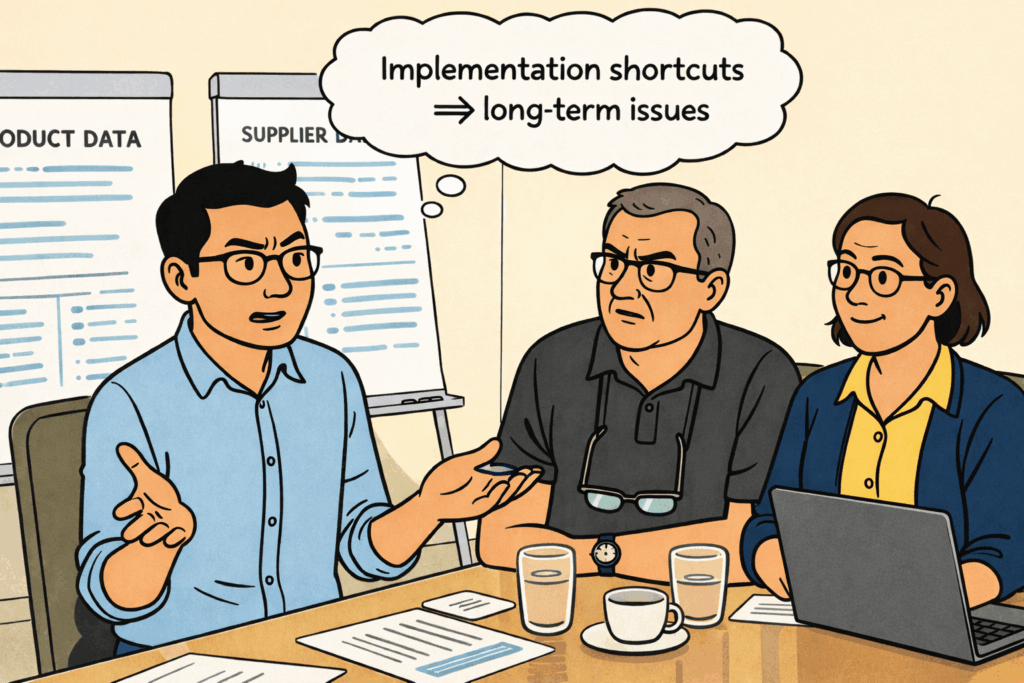
Stefan pulled up the scheduling software configuration. “We can handle this in two different ways. One: Patrick updates all work and machine center calendars in Business Central to ensure accurate hours. Two: we configure the scheduling software to use a global calendar that applies to all work and machine centers.”
“Option one,” Emma decided. “I want all master data to live in Business Central. We might need them for other tools and purposes than scheduling, and master data simply belongs in the ERP. Period.”
Patrick hence configured the shop calendars for all work and machine centers as follows:
- Monday-Friday: 7:00-12:00, 13:00-16:00 (8 hours per day)
- Saturdays, Sundays: No capacity
- Standard holidays: No capacity
- Planned maintenance: To be added as needed
“That’s the critical shop calendar fix,” Stefan confirmed. “Now the software knows machines have 40 hours per week, not 168.”
By the end of the first day, category one was essentially complete – plus a bit of category two. Sarah reviewed the summary:
Category One – Resolved:
- Non-existent work centers: 47/47 fixed
- Missing routings: 12/12 resolved (reclassified as purchased items)
- Retired machine references: 23/23 corrected
- Circular dependencies: 2/2 fixed
“Plus: One ‘category two quick win – shop calendar reflecting actual hours’. Category one took one day, not one week,” Klaus observed. “Most were simple corrections once we knew what was wrong.”
“That’s the pattern we see,” Andrea confirmed. “Category one sounds scary, but usually resolves quickly because the errors are obvious. Category two takes longer because it requires judgment and measurement.”
Tackling Category Two Systematically
The next morning, Sarah organized the category two work by priority. She pulled up production volume data. “Bearing housings represent 42% of our volume. Agricultural components are 31%. Specialty products are 27%. Let’s focus category two corrections on the high-volume products first.”
Otto reviewed the bearing housing routings while Sarah documented his feedback. But this time, instead of drilling into every detail, they applied the framework systematically.
“BH-2000 series routing,” Sarah said, pulling it up on screen. “Seven operations currently. Otto, category two issues?”
Otto scanned quickly. “Operation times look reasonable—they match my experience. Setup time is missing from operation 3, should be about 30 minutes. Operation 5 shows ‘assembly’ but doesn’t specify this is manual work, not machine time.”
Sarah noted both corrections. “Operation 3: add 30-minute setup. Operation 5: changed from machining machine center to assembly work center. Anything else in category two?”
“Not that would break scheduling,” Otto replied. “Operation 4 time varies depending on operator, but that’s category three—optimization, not accuracy.”
They moved to the next routing. Same process—scan for category two issues (incorrect times, missing setups, wrong work centers), note corrections, don’t drill into category three refinements.
In two hours, they reviewed 15 bearing housing routings, corrected timing on 9, added missing setup times on 11, and fixed work center assignments on 4. Not perfect, but systematically better.
“This is manageable,” Otto said. “We’re not trying to make every routing perfect. We’re making sure they won’t create obviously wrong schedules.”
The Agricultural Components
Klaus joined the afternoon session when they moved to agricultural components. “These are important customers. Let’s make sure we get the data right.”
Sarah pulled up the first routing—shaft couplings. “Otto, category two issues?”
Otto studied the routing. “Operations 2 and 3 run on Mazak #3 and Mazak #4—that’s correct per our subgrouping approach. Times look about right. Setup time shows 25 minutes, which is realistic if we’re coming from another agricultural job.”
“So this routing is good?” Sarah asked.
“For categories one and two, yes,” Otto confirmed. “Category three would note that setup varies from 15 to 40 minutes depending on the previous job, but we’re not trying to model that complexity yet.”
They systematically moved through the agricultural component’s routings. Most were reasonable—somebody had paid attention when creating them. A few needed corrections:
- One routing showed external heat treatment as operation 4, but didn’t include a proper lead time (added a 3-day wait time)
- Two routings combined operations that should be separate (split appropriately)
- Three routings missing setup times (added estimates based on similar operations)
- One routing showed assembly on Mazak #5 instead of the manual assembly work center (corrected)
By mid-afternoon, they’d corrected 18 agricultural component routings. Combined with the morning’s bearing housing work, they’d systematically improved 33 routings representing approximately 70% of production volume.
The Capacity Adjustment Discussion
Klaus pulled up the capacity analysis he’d been working on. “We have a category two issue with capacity definitions. Business Central shows theoretical capacity, but Otto tells me actual availability is about 80% of theoretical.”
“Why the difference?” Stefan asked.
“Maintenance, operator breaks, quality issues, material handling time,” Otto explained. “A machine might run 40 hours per week in theory, but effective productive time is maybe 32 hours after accounting for everything.”
“How did you arrive at 80%?” Emma asked.
“Experience,” Otto replied. “Over the years, I’ve learned that if the computer says we have 40 hours available, I can really count on maybe 32 hours of actual work getting done. I did not speak up when we did the shop calendar adjustments. However, if we keep it at 40 hours per machine, we will create a schedule based on theoretical capacity. This is unrealistic and won’t help us solve our issues.”
Stefan nodded. “This is common in job shops. We can handle it in three ways. One: Adjust every work center’s calendar to show less available time. Two: Use the Business Central efficiency factor on the machine and work center cards. Three: Neither do one nor two. Instead, understand where and why Otto and his team lose time and apply this in the routings. For example, quality issues might be due to certain incoming materials you might only use for a few items. Also, material handling time sounds like an element of setup to me. “
“Holy moly”, Otto objected. “That sounds like making it super sophisticated. Why not set the capacity to 32 hours per week, as this is our reality?”
“I am sure that Klaus won’t want this”, Stephan answered. – “Now I am curious. Tell me why”, Klaus responded.
“That is easy. If we set the capacity to 32 hours per week, the system thinks that your capacity is 32 hours per week. It will treat 32 hours as 100%, even though you work and pay for 40 hours. Your PowerBI dashboard will show a 100% utilization if your guys only work 32 hours. This will be misleading. And it will remove any pressure on Otto to improve those 32 hours to 33 or even 35 hours.”
“Agreed”, Emma said even before Klaus was able to say anything. “We won’t go there. This just does not make sense. Our capacity is 40 hours a week, and all our systems should measure us against this.”
“Then we should use Business Central’s efficiency factor initially,” Patrick decided. “It is simpler to configure, and easier to adjust if we discover 80% is wrong. However, we should then add a line item to Category Three – Data That Makes Scheduling Suboptimal.“
“What do you have in mind?”, Sarah asked.
“Well, we should add ‘Routing improvements to properly reflect where we lose time & efficiency so that we ultimately can stop using the efficiency factor’. I know that sounds like the silly title of a useless master’s thesis, but I sense that we all know what this means.”
“I am fine with it”, Klaus confirmed. “Otto: How do you see it?”
“Well,” Otto nodded. “I understand that I need to work hard with my guys to get that 80% up. I like that we start simple with the efficiency factor. And I am good at going with the routing optimization over time. Thumbs up from me.”

Patrick configured Business Central accordingly and applied the 80% efficiency factor to all active work and machine centers. “This means a machine showing 40 hours in BC will show 32 hours available in scheduling. If you later determine the actual efficiency is different, we change that one setting on the respective work and machine center card.”
The Reality Check
By Thursday afternoon, they’d completed most of category two corrections for high-volume products:
Category Two – Status:
- High-volume product routings reviewed and corrected: 33/53
- Operation times validated on key operations: 87 corrections
- Missing setup times added: 23 operations
- Capacity adjusted to reflect reality: Complete (80% efficiency factor applied)
- External operations properly flagged: 11 corrections
“We haven’t fixed everything,” Sarah acknowledged, “but we’ve fixed the data that drives 70% of our production volume. The remaining routings can be corrected as we encounter them during operation.”
Stefan reviewed their progress. “You’ve done exactly what successful implementations require—fix what matters most, accept that perfection is impossible, commit to continuous improvement.”
Emma looked at the remaining items. “How many category two issues remain for low-volume specialty products?”
“About 40 routings we haven’t reviewed,” Patrick reported. “But they represent maybe 10-15 production orders per month total. We can correct them individually as they come up.”
“Then we’re done with category two for now,” Emma decided. “The remaining corrections go on the continuous improvement list. Stefan, are we ready to proceed to configuration?”
“More than ready,” Stefan confirmed. “You have clean category one data—no showstoppers. You have corrected category two data for high-volume products—schedules will be reasonably accurate. Category three improvements can happen over time. This is a solid foundation.”
The Unexpected Hero
That evening, as the team debriefed the week’s progress, Emma addressed Otto directly. “I want to recognize something. We spent months debating software features and evaluation criteria. Then we spent one week actually preparing for implementation, and you were the critical resource. Your knowledge of how we really operate—not how Business Central thinks we operate—made all the difference.”
Otto looked uncomfortable with the attention. “I just answered questions.”
“You transformed abstract data into reality,” Emma corrected. “When Patrick said a routing showed 90 minutes, you knew whether that was accurate, or optimistic, or completely wrong. When Stefan asked about capacity, you knew the difference between theoretical and actual. That knowledge is irreplaceable.”
Klaus added, “I’ve been focused on analyses and spreadsheets. But this week showed me that the most valuable data in this company isn’t in Business Central—it’s in Otto’s head and in our operators’ experience. We need to capture that knowledge before it walks out the door.”
“That’s what the continuous improvement process is for,” Stefan said. “As you use the scheduling software, you’ll discover where the data is wrong. Otto and the operators know when something doesn’t look right. That feedback loop—schedule looks wrong, Otto knows why, data gets corrected—is how you build increasingly accurate master data. Continuous improvement of master data quality isn’t a one-time project—it’s an ongoing commitment that separates successful implementations from failed ones.”
Sarah pulled up her documentation of the week’s work. “We corrected 47 non-existent work centers, updated shop calendars, fixed 33 high-volume product routings, added 23 missing setup times, and adjusted capacity to reflect reality. None of that was glamorous. Most of it was tedious. But without it, scheduling software would have been useless.”
“That’s the lesson,” Henning said via video. “Software doesn’t solve problems. Data, plus process, plus people solve problems. Software just makes it faster and more visible.”
The Continuous Improvement Commitment
Emma stood and walked to the whiteboard. “Let me make sure we’re clear about what happens next. We’ve fixed category one and most of category two. Category three remains, plus the low-volume product corrections we deferred.”
She wrote on the board: “Continuous Improvement Process”.
“Starting from go-live, we need a systematic way to capture data corrections. When a schedule looks wrong, who do we tell? When actual times differ from routing times, how do we document that? When we discover errors, who has the authority to correct them?”
Patrick raised his hand. “I propose a weekly data quality review. Every Monday morning, Sarah brings a list of scheduling issues from the previous week. Otto and I review them. If we can determine the correction, I will update Business Central immediately. If we need more investigation, it goes on the follow-up list.”
“How long would that take weekly?” Emma asked.
“Thirty minutes to an hour,” Patrick estimated. “Less over time as the data gets better.”
“Approved,” Emma said. “Weekly data quality review becomes part of our standard process. Sarah facilitates, Otto provides shop floor expertise, Patrick implements corrections.”

Stefan added this to the implementation documentation. “I’ll include this in your training materials. Most companies wait for problems to pile up, then do massive cleanup efforts every few months. Weekly small corrections work much better.”
The Master Data Quality Foundation is Ready
Stefan pulled up the project timeline on screen. “Let’s review where we stand. We allocated two weeks for discovery and configuration. We’ve spent four days on data cleanup. That leaves us six days for actual software configuration before we move to testing and training.”
He clicked through the configuration tasks ahead:
- Define scheduling rules and priorities
- Configure capacity constraints and resource groups
- Set up alternative work centers and routing flexibility
- Configure the communication protocol for manual schedule updates
- Establish user permissions and access levels
- Build the initial schedule baseline
“This is where we translate your business rules into software configuration,” Stefan explained. “The clean data you’ve prepared this week is what makes this possible. Without it, we’d be configuring rules for garbage data.”
Andrea added, “And because you’ve been pragmatic about what to fix now versus later, we can focus configuration on rules that matter. We’re not trying to model every possible exception and edge case. We’re building a system that handles your normal operations well and can be adjusted when needed.”
Klaus looked at the remaining timeline. “Six days for configuration seems tight. What if we discover we need more data corrections?”
“Then we make them,” Stefan replied. “Configuration isn’t linear. We’ll configure the scheduler, test it with your production orders, identify issues, and refine both the data and the configuration. It’s iterative.”
“But the foundation you’ve built this week,” Andrea emphasized, “means those iterations will be productive. You’re refining and tuning, not discovering that fundamental data is broken.”
The Handoff
Emma looked around the table. “Alright. Data cleanup is complete enough to proceed. Otto, thank you for this week. Your expertise made the difference between abstract corrections and meaningful improvements.”
Otto nodded, looking slightly embarrassed by the attention. “Just did what needed doing.”
“Patrick,” Emma continued, “you’re on point for the configuration phase with Stefan. Sarah, you’ll work with Stefan to define the scheduling rules—how the software should prioritize work, handle conflicts, and manage capacity. Klaus, I want you involved when we configure the capacity and throughput logic.”
She stood. “We spent four days getting real about our data and our master data quality. We found problems we didn’t know we had. We fixed what would have broken the system. We documented what still needs work. That’s exactly the kind of honest foundation-building that successful implementations require.”
Sarah gathered her notes, feeling a shift in the project’s momentum. The data cleanup phase had been unglamorous—reviewing routings, correcting work center references, adjusting capacity factors. No exciting software features, no impressive demonstrations, just systematic correction of foundational errors.
But standing at the threshold of configuration, she realized this week’s work had been essential. They now had data they could trust—not perfect data, but real data that reflected how they actually manufactured products. The scheduling software they were about to configure would operate on reality, not outdated assumptions.
Stefan closed his laptop. “Tomorrow we start configuration. Come prepared to decide how you want to schedule. How will you prioritize production orders? How will you handle rush jobs? Will you allow them to crash the schedule, or will you declare them as ‘no go’? How will you deal with already scheduled jobs versus to be scheduled jobs? How well are you mentally prepared to leave idle times in your non-bottleneck machine centers? How should the software handle resource conflicts? What rules matter most in your environment? The data is ready. Now we teach the software how to use it.”
Sarah made a note in her project documentation: “Data foundation complete. Ready for configuration.” Four simple words that represented four days of detailed, tedious, essential work.
As the team filed out of the conference room, Otto stopped by Sarah’s desk. “Next week’s going to be different, isn’t it? Less about what’s in the data, more about what to do with it?”
“Exactly,” Sarah confirmed. “This week, you taught us what’s real. Next week we teach the software how to think about that reality—how to schedule it, prioritize it, manage it.”
“Good,” Otto said. “Because I can tell you what’s real. But figuring out how software should use that information? That’s your job, not mine.”
Sarah watched him head back to the shop floor. He was right. They’d completed the foundation—data that reflected reality. Now came the structure—rules and logic that turned that data into decisions.
The whiteboard had worked because Sarah and Otto made thousands of small judgments daily, compensating for bad data with good knowledge. The scheduling software couldn’t make judgments. But with clean data and well-configured rules, it wouldn’t need to. It could do what software did best: calculate quickly, show conflicts clearly, and model scenarios efficiently.
That was the promise of next week’s configuration work—taking the solid foundation they’d built and adding the intelligence that would turn it into schedules they could trust.
Sarah pulled up the configuration task list Stefan had sent. Tomorrow morning, at 8 AM, they would start defining how Alpine Precision Components wanted to schedule production. Not how some generic manufacturer scheduled work, but how Alpine—with their specific products, machines, constraints, and priorities—should make scheduling decisions.
The first set of data was ready. Now it was time to teach the software how to think.