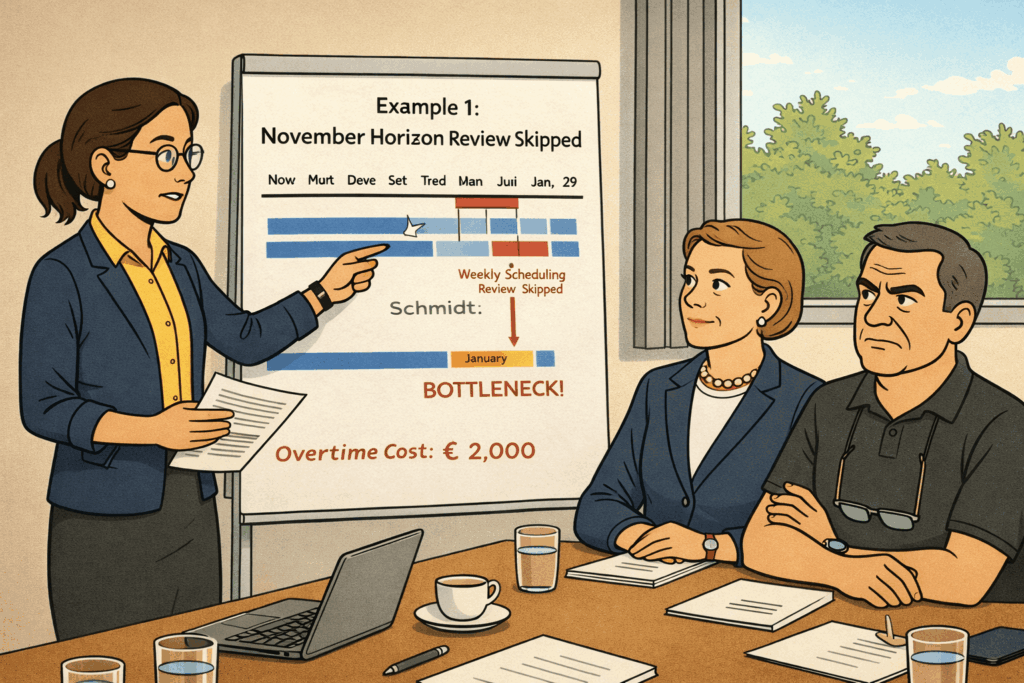

Tuesday morning’s session began with Stefan pulling up a clean configuration screen. The skill matrix from Monday sat in the background—complete, functional, and ready. Now they needed to configure how the scheduling engine would actually use that foundation.
“Before we dive into technical settings,” Henning said from the video screen, “I want to remind everyone of a decision you already made. When you selected this software, you explicitly chose a pragmatic scheduling approach over optimization algorithms. You chose good schedules that adapt quickly over perfect schedules that require perfect data.”
He pulled up notes from their earlier discussions. “That decision has implications for everything we configure today. We’re not building a system that finds mathematically optimal answers. We’re building a system that finds practical answers fast. Keep that mindset as we work through these settings. Production scheduling configuration isn’t about enabling every feature—it’s about choosing the settings that match your operational reality.”
Klaus nodded. “I remember. We chose throughput and delivery reliability over theoretical optima.”
“Exactly,” Henning confirmed. “Stefan, they’re ready.”
Stefan took over. “We have six major configuration decisions to make today. Each one will shape how the scheduler behaves in practice. Let’s start with the most fundamental: your scheduling horizon.”
Production Scheduling Configuration Decision One: The Scheduling Horizon
“Scheduling horizon means the timeframe of production orders that are visualized and scheduled within the software,” Stefan explained. “How far into the future should the system look when creating schedules?”
“As far as possible,” Klaus said immediately. “We should load everything we have—a full year of orders.”
“Why a year?” Stefan asked.
“Because we have orders booked that far out, especially returning orders from our long-term customers,” Klaus replied. “If the software doesn’t see them, how can it schedule around them?”
Patrick nodded. “And the longer the horizon, the better the scheduler can optimize sequences.”
Sarah wasn’t so sure. “But most of our orders ship within weeks, not months. Do we really need to schedule a full year?”
“The longer the horizon, the longer the compute times,” Stefan noted. “Loading twelve months of orders might mean scheduling runs take a few minutes instead of thirty seconds.”
Klaus looked annoyed. “So, we’re constrained by computer speed? That’s a terrible reason to limit our planning.”
“Klaus has a point,” Emma said. “If we need a long horizon, then computing time is just something we accept.”
Stefan raised his hands. “Fair enough. Let me ask differently then. Henning, you’ve seen this decision many times. What’s your recommendation?”
Henning smiled. “I’m going to answer with a question. Klaus, what percentage of your customers do you need to provide binding delivery commitments?”
“All of them, eventually,” Klaus replied.
“Let me be more specific,” Henning clarified. “How far in advance do eighty percent of your customers actually need firm delivery dates that you can’t change?”
Klaus thought about this. “Most customers book orders two to three months out. They need firm dates, maybe a month before delivery. So… probably three months is when we need binding commitments for the bulk of our business.”
“And for orders beyond three months?” Henning pressed.
“Those are usually more flexible,” Klaus admitted. “Customers know that orders booked for six months out might shift by a week or two as their own needs change.”
“So the scheduling horizon that really matters—where you need accurate capacity-based dates—is about three to four months,” Henning concluded. “Orders beyond that are important for planning, but they don’t need the same level of scheduling precision.”
Sarah saw where this was going. “You’re saying we should focus the scheduler on the timeframe where accuracy matters most.”
“Exactly,” Henning confirmed. “Load four months of orders. That gives you visibility into your committed work with a buffer beyond the three-month window where most customers need firm dates. Orders beyond four months stay in Business Central for visibility, but they don’t load into the scheduler until they enter the four-month window.”
“And as time passes, new orders roll into the horizon automatically?” Patrick asked.
“Correct,” Stefan confirmed. “Each week, orders that enter the four-month window load into the scheduler. Orders that are complete or canceled drop out. The horizon is a rolling window, not a fixed period.”
Emma looked at Klaus. “Four months gives us the visibility we need for binding commitments. Does that work?”
Klaus studied his order pipeline data. “Yes. Looking at this, 90% of our orders ship within three months of booking. Four months covers our entire committed pipeline with room to spare.”
“Four months it is,” Emma decided. “Next decision.”
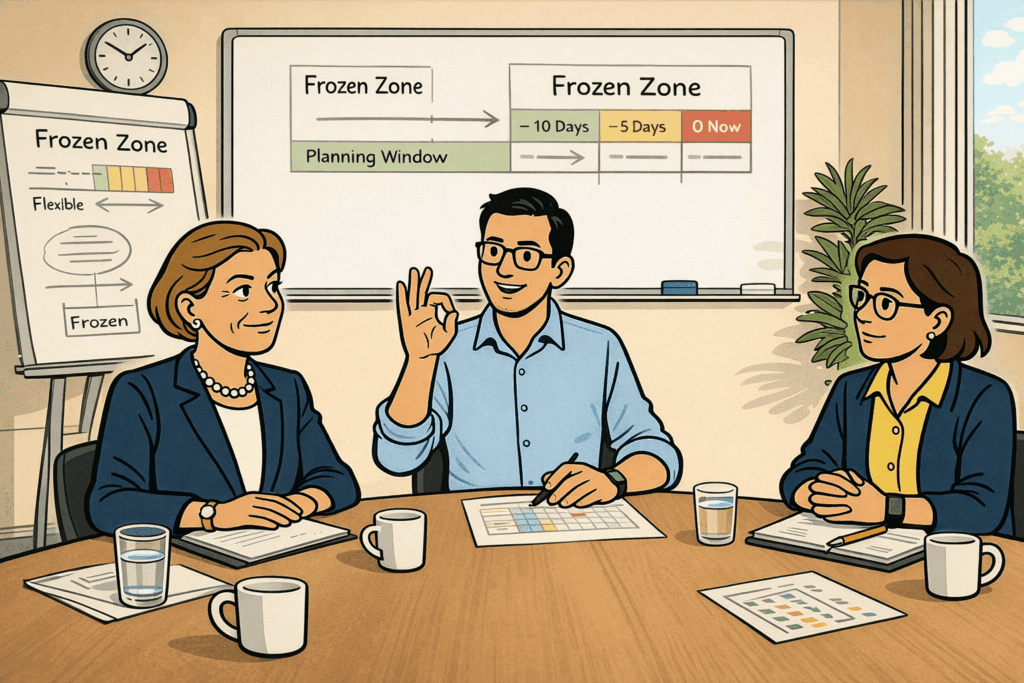
Decision Two: The Frozen Zone
Stefan pulled up the next configuration screen. “The frozen zone defines which production orders the scheduler won’t change. The purpose is shop floor stability—if Otto’s team set up a job yesterday, we don’t want this morning’s scheduling run to move it somewhere else.”
“That makes sense,” Otto said. “Once a job starts, moving it creates chaos.”
“Right. So the question is: what defines ‘frozen’?” Stefan explained. “We can use time-based rules—everything starting in the next two days is frozen. Or status-based rules—everything already started or released is frozen. Or hybrid rules combining both.”
Sarah thought about her whiteboard practice. “I never changed jobs that were already running or scheduled to start the same day. But jobs scheduled for tomorrow? I’d move those if something urgent came up.”
“How often did that happen?” Stefan asked.
“Maybe once a week,” Sarah estimated. “Not often, but often enough that I needed the flexibility.”
“So you want a relatively short frozen zone,” Stefan concluded. “Jobs in progress are definitely frozen. Jobs scheduled to start today are frozen. But jobs scheduled to start tomorrow might move if needed?”
“Yes,” Sarah confirmed. “Though I’d prefer they don’t move unless there’s a good reason—a rush order, a material delay, something that forces the change.”
Klaus looked concerned. “But every time we replan, doesn’t that create instability? If tomorrow’s schedule changes daily, how can Otto manage smooth shopfloor operations?”
Otto shook his head.
“That’s not really a problem. In the past, I assigned operators the night before based on what was scheduled for the next day. If something changed today that would affect tomorrow’s schedule, I just adjusted tonight’s assignments. With the new software, this process will not change. The only thing that will change is that the software makes the operator assignment, and I will review that every evening for the next day. It’s when jobs change mid-execution that causes real problems. This is something I expect not to happen with our new software.”
Stefan configured the settings. “Here’s what I recommend: frozen zone includes all operations from started production orders—meaning anything that’s begun execution stays where it is. Also frozen are all released production orders scheduled to start today or tomorrow.”
“Wait,” Sarah said. “So, tomorrow’s jobs are frozen?”
“Released jobs scheduled for tomorrow are frozen,” Stefan clarified. “Firm planned or planned jobs—ones you haven’t formally released to the shop floor yet—can still move. This gives you flexibility for orders that haven’t been committed to production while protecting orders that have.”
“That’s actually smarter than what I was thinking,” Sarah admitted. “Released orders are the ones Otto has assigned operators to and prepared materials for. Moving those would disrupt real work. But planned orders are still in my domain—I can adjust those without impacting the shop floor.”
Emma nodded. “So the frozen zone protects shop floor execution while leaving Sarah flexibility for planning. That’s the right balance.”
“Configured,” Stefan confirmed. “Frozen zone set to operations from the started production orders plus released orders scheduled for today or tomorrow.”
Decision Three: Scheduling Scope
“Next decision,” Stefan said. “When you click ‘create schedule,’ what should the software actually do? Which orders should it consider, and how should it treat them?”
“All non-frozen orders, obviously,” Klaus said.
“Against finite capacity,” Patrick added. “That’s the whole point—we want to see when we have actual capacity to do the work.”
“And applying the priority rules we defined yesterday,” Sarah said. “Delivery date first, then customer priority, then business critical, as flagged by Emma, and then all the rest. And we use the Scheduling Slack Time (SST) to prioritize when jobs within the same class have the same due date.”
Stefan was typing as they spoke. “So: scope includes all non-frozen production orders, scheduling respects finite machine and operator capacity, and priority sequencing follows the rules we established. Anything else?”
“Should the scheduler consider material availability?” Emma asked.
Stefan paused. “Good question. We’ll address that in decision six. For now, let’s say the scheduler assumes materials are available—we’ll refine that assumption later.”
He finished the configuration. “Scope set: all non-frozen orders, finite capacity scheduling, priority-based sequencing. When Sarah clicks ‘create schedule,’ the software will replan everything that’s not already frozen, fitting it into available machine-operator capacity according to your priority rules.”
“How long will that take?” Klaus asked.
“With four months of orders and your resource complexity?” Stefan estimated. “Somewhat between fifteen and thirty seconds maximum. Fast enough to run multiple times per day if needed.”
Decision Four: Scheduling Direction
Stefan pulled up the next setting. “This one often surprises people. Do you want to schedule forward or backward?”
“Backward,” Sarah said immediately. “Business Central schedules from delivery dates backward to figure out when each operation needs to start. Why should we differ from that?”
“That’s the common instinct,” Stefan acknowledged. “And backward scheduling makes logical sense for several reasons—you have a target date, and you calculate backward to determine the latest possible start. This ensures both a tight throughput and a minimum WIP while considering OTD. But there are also some issues with backward scheduling against finite capacity.”
“Which are they?” Sarah wanted to learn more.
“Well, sometimes there’s not enough free capacity before the due date. This can happen if the due date is too aggressive because your sales colleagues gave unrealistic dates. Or it can happen if you already have a decent backlog of production orders scheduled. In this case, backward scheduling can produce start dates that are in the past.”
“Ah”, Klaus nodded. “Now I understand why Business Central’s planning worksheet throws all those action messages that point me to production orders with start dates in the past. I always wondered if those BC developers would have a time machine that allows traveling in the past.”
“You nailed it”, confirmed Stefan. “And there are more issues with backward scheduling. If you do this sharply from the due date, you get the latest dates as to when to start any operation before the production order is late. In your dynamic high-mix low-volume environment, this creates a too fragile and hence too risky schedule.”
“What about adding a safety buffer between the due date and the end date of the latest operation?” Sarah wanted to know.
“Even if we add a safety margin to the due date and work backwards from there, the buffer remains deterministic. Moreover, the due date is always a mandatory prerequisite for scheduling a production order and cannot be a result of it.”
“Wait,” Klaus said. “But in the majority of cases when we add a new job to the whiteboard, the delivery date is the result of the process, and accordingly, the answer to the customer’s request.”
“Your understanding is correct, Klaus. What you refer to is forward scheduling, and this is what you have been doing with your whiteboard.”
“What do you mean?”
“Well, with forward scheduling, the software still tracks delivery dates if they exist. But it does not need them for assigning operations to resources,” Stefan assured.
“Instead, it schedules starting from the earliest date possible forward and then shows you if the resulting finish date is before or after the due date. If it’s late, you see the conflict and can adjust. And in case there is no due date yet, you can decide when to set it based on the scheduled end date of the production order. We also call this way of forward scheduling “as soon as possible scheduling” or ASAP for short.”
Klaus nodded while Stefan continued.
“But there is another aspect that we should have in mind when it comes to ASAP scheduling. With backward scheduling, the buffer is always determined upfront, e.g., one day or 20% of the total planned process time. But imagine you were able to get the maximum potential buffer possible. This means the greatest possible flexibility between setting a suitable due date and having the largest possible buffer that can be used on the shop floor if necessary, before a production order is completed late.”
“Especially for a dynamic MTO-driven business like ours, this would definitely be a great advantage,” Klaus confirmed.
“But I have one doubt: I remember that the major drawback of forward scheduling is that the resulting work in progress (WIP) is often terrible. Especially in front of bottlenecks, the preceding operations tend to be scheduled far too early. Are we supposed to manually correct all the planned start times then?” he asked into the round.
“And,” Otto frowned. “It sounds like this creates WIP costs and uses up capacity that could go to more urgent work.”
“Correctly identified,” Stefan confirmed. “Precisely for this reason, there is an advanced feature called ‘ASAP Plus’. When the software recognizes that ASAP scheduling would create waiting gaps between operations while still meeting the delivery date, it tries backward scheduling for that specific order based on the ASAP scheduled end date. The logic is that upstream machines usually have more flexibility, so pulling the operations start dates as late as possible without impacting the scheduled end date of the production order itself.”
“Wait,” Sarah said, trying to follow. “So it’s not purely forward or purely backward?”
“Correct,” Stefan replied. “ASAP Plus implies that there are actually two runs of the scheduling engine for each affected production order. The first calculation run is purely forward. Based on the scheduled end date, the engine checks if the WIP for each production order can be improved by later start dates of operations. This again is based on backward logic.
To put it bluntly, when it detects that forward scheduling would create inefficient gaps and there’s time flexibility to avoid them, it adjusts toward backward scheduling for that order. Best of both approaches.”
The room was quiet as everyone processed this hybrid logic.
“Does it work?” Emma asked simply.
“In high-mix job shops like yours, it works very well,” Stefan confirmed. “Pure forward creates WIP issues. Pure backward creates risky schedules or unrealistic, past start dates. ASAP Plus balances both concerns dynamically, order by order. And most importantly, the scheduling performance is more than sufficient for your use case.”
“I like it,” Otto said. “Sounds like the ideal solution for Alpine to me.”
Emma looked around the table. “Any objections to ASAP Plus?”
No one objected.
“Configured,” Stefan confirmed. “Scheduling direction set to ASAP Plus.”
Decision Five: Conflict Visibility and Manual Overrides
Stefan moved to what he called “the conflict question.” “Finite capacity scheduling means the software will sometimes tell you that you can’t meet a delivery date with available capacity. How do you want to see those conflicts?”
“Show us when machines are overloaded,” Klaus suggested. “If Mazak #3 is scheduled for 50 hours in a 40-hour week, that’s a problem.”
“Actually, that’s not how finite capacity works,” Stefan corrected gently. “The software respects capacity constraints—it won’t schedule more work than capacity allows. So you’ll never see a machine scheduled for 50 hours. Instead, what you’ll see are production orders that finish after their due dates because capacity ran out.”
“So the conflict isn’t overloaded resources,” Sarah realized. “It’s late deliveries.”
“Exactly,” Stefan confirmed. “The software schedules everything it can within available capacity. Some orders fit before their due dates—those are green. Some orders fit, but only after their due dates—those are red, flagged as late.”
Henning added clarification. “This is fundamental to finite capacity scheduling. You’re always constrained by what’s physically possible. The software shows you the best possible schedule given your constraints, then flags where that best possible schedule doesn’t meet your business commitments.”
“How should we visualize late orders?” Emma asked.
Stefan showed options. “Color coding is most common—green for on-time and red for scheduled past the due date. We can also generate a conflict report listing all late orders with their delivery dates and scheduled finish dates.”
“Both,” Sarah decided. “Color coding so I can see the pattern at a glance, and a detailed report so I can analyze specific conflicts.”
“What about manual overrides?” Patrick asked. “If Sarah disagrees with the schedule, can she change it?”
“Yes, but we need rules,” Stefan replied. “Manual changes override the priority logic the software applies. If Sarah moves a production order to an earlier slot, some other job gets pushed later. We need to track which jobs are manually scheduled so subsequent automatic runs don’t undo Sarah’s decisions.”
“How does that work?” Sarah asked.
“Jobs have a ‘manually scheduled’ flag,” Stefan explained. “When you drag a job to a different time slot, the software asks if you want to lock it there. If you say yes, it flags that job as manually scheduled and won’t move it in future automatic runs—unless you explicitly clear the flag. That way, a job that is flagged as ‘manually scheduled’ automatically becomes part of the frozen zone.”
Sarah thought about the implications. “So I can override the software’s logic when I have information it doesn’t—like a customer relationship issue or a business priority that isn’t captured in the data.”
“Correct,” Stefan confirmed. “The software applies rules consistently. You apply judgment for exceptions. But your exceptions are visible—anyone looking at the schedule can see which jobs are manually scheduled versus automatically sequenced. Alternatively, you can also increase the given finite bottleneck capacity to decrease the throughput time of delayed production orders.
“I like that transparency,” Emma said. “We’ll know which scheduling decisions are systematic versus judgment-based.”
“How often should Sarah need to manually override?” Klaus asked.
“Initially, probably daily as you’re learning the system,” Stefan estimated. “After a few months, maybe weekly. The goal is that most orders follow automatic sequencing, with manual overrides reserved for true exceptions.”
“Fair enough,” Emma concluded. “I am fine with that approach, and we can go ahead to the next setting.”

Decision Six: Material Availability
The final configuration question proved more complex than Sarah expected.
“Should the scheduler treat material availability as a hard constraint?” Stefan asked. “Meaning, should it refuse to schedule operations if materials haven’t arrived yet?”
“Obviously yes,” Klaus said. “We can’t start a job without materials.”
“Can’t you?” Stefan asked. “What if materials are due on Tuesday and the operation is scheduled for Wednesday? Technically, the operation can proceed if materials arrive on time.”
“But if materials are late, the schedule breaks,” Klaus countered.
“True,” Stefan acknowledged. “But here’s the trade-off. If material availability is a hard constraint, the scheduler waits for confirmed material receipt before scheduling any operation that needs it. This is conservative—you never schedule impossible work. But it also means your schedule constantly adjusts as material receipts update, creating instability.”
“What’s the alternative?” Emma asked.
“Material availability as a soft constraint,” Stefan replied. “The scheduler assumes materials will arrive on their expected dates and schedules operations accordingly. If materials are actually late, you see a conflict—the scheduled operation is flagged as missing materials. You adjust manually or with the next automatic scheduling run, taking into account the new receipt date.”
Sarah saw both sides. “Hard constraints are safer but create schedule churn. Soft constraints are stable but require us to monitor and react to material issues.”
“There’s a middle ground,” Stefan suggested. “Soft constraints by default, but with the ability to flag specific components as critical. For critical components, material availability becomes a hard constraint—the scheduler won’t schedule dependent operations until materials are confirmed in stock.”
“Which components should be critical?” Otto asked.
Klaus pulled up supplier performance data. “We have chronic issues with three suppliers. Their delivery reliability is terrible—maybe sixty percent on time. Components from those suppliers should definitely be hard constraints.”
“Any other criteria?” Stefan asked.
“Long lead time items,” Sarah suggested. “If something takes eight weeks to procure, I don’t want to schedule the operation until I know for certain it’s arrived.”
“And expensive items,” Klaus added. “High-value components where we don’t carry safety stock. If they’re not here, we shouldn’t schedule like they are.”
Stefan configured the system. “Default: material availability is a soft constraint. The scheduler assumes expected receipt dates are accurate and schedules operations accordingly. Exception: items flagged as critical require confirmed material receipt before scheduling. You’ll need to maintain a list of critical items.”
“Who maintains that list?” Patrick asked.
“Klaus for supplier issues, Sarah for scheduling impact,” Emma decided. “If either of you flags something as critical, it becomes a hard constraint. Review the list quarterly to make sure it stays current.”
“One more thing,” Stefan added. “There’s an interesting side benefit to soft material constraints. When the scheduler places operations based on capacity constraints rather than material timing, it generates realistic demand dates for your purchasing team. Instead of Business Central saying ‘we need materials by Tuesday because that’s when the ERP calculates we’ll use them,’ the scheduler says ‘we need materials by Thursday because that’s when we actually have capacity to run this operation.'”
Klaus’s eyes lit up. “So the schedule drives purchasing timing, not just arbitrary ERP calculations?”
“Exactly,” Stefan confirmed. “Your purchase requisitions become more realistic because they’re based on actual capacity-constrained operations, not theoretical infinite-capacity plans.”
“That’s a significant improvement,” Klaus said. “Our purchasing team constantly complains that material requirements from Business Central don’t match production reality. This would fix that disconnect.”
The Configuration Complete
Stefan pulled up a summary of their six decisions:
- Scheduling Horizon: 4 months rolling window
- Frozen Zone: Started operations + released orders starting today/tomorrow
- Scheduling Scope: All non-frozen orders, finite capacity, priority-based
- Scheduling Direction: ASAP Plus (forward with intelligent backward adjustment)
- Conflict Visibility: Color-coded late orders + detailed conflict report; manual override capability with tracking
- Material Availability: Soft constraint as default with critical item exceptions
“These decisions define how your scheduler behaves,” Stefan said. “Production scheduling configuration separates successful implementations from failed ones—not the software’s features, but how you configure them for your specific environment. Questions?”
The room was quiet. Everyone studied the summary, mentally testing it against their operational reality.
“It feels right,” Sarah finally said. “Four months gives us the visibility we need without overloading the system. The frozen zone protects shop floor work without removing my flexibility. ASAP Plus balances urgency with efficiency. And soft material constraints with critical exceptions match how we actually work—we assume materials arrive but watch the ones we know are risky.”
Otto nodded. “I like that the frozen zone protects started and near-term released work. That’s exactly what causes chaos when it moves—jobs my team has already prepared for.”
Klaus was still studying the material constraint decision. “The soft constraint with critical exceptions is smarter than I initially thought. We get schedule stability for most items while protecting ourselves from the suppliers who consistently disappoint us.”
“Any concerns?” Emma asked, looking around the table.
“Just one,” Patrick said. “This configuration is sophisticated. We’re relying on status flags, priority codes, critical item lists, and manual override tracking. That’s a lot of data maintenance. Who owns keeping it current?”
“Good question,” Emma acknowledged. She thought for a moment. “Sarah owns the overall scheduler configuration and priority logic. Otto owns the frozen zone—what’s released and when. Klaus owns the critical item designation. Patrick, you own the technical maintenance and user permissions. Everyone documents changes so we can track what’s working and what isn’t.”
“And if the configuration needs adjustment?” Patrick asked.
“We review it bi-weekly for the first quarter,” Emma decided. “If something isn’t working—horizon is too short, frozen zone too rigid, whatever—we adjust. This isn’t carved in stone. It’s our best thinking today based on our current understanding.”
Stefan saved the configuration. “That’s exactly the right mindset. Manufacturing environments evolve. Your scheduling philosophy should evolve with them. These settings give you a solid foundation. You’ll refine them as you learn.”
The Test Run
“Ready to see it in action?” Stefan asked.
Without waiting for an answer, he loaded Alpine’s current production order backlog into the system—four months of orders, ranging from today’s started work to jobs booked for late spring. The scheduling engine processed the data: checking capacity, verifying operator skills, respecting the frozen zone, applying ASAP Plus logic, and tracking material constraints.
Thirty-two seconds later, a schedule appeared on screen.
Sarah leaned forward, studying the resource-type Gantt chart with intense focus. Colored bars represented jobs flowing across resources over the next sixteen weeks. Green orders stretched into March. Yellow orders were clustered in April. A handful of red orders appeared in May, late, flagged for attention.
“Mazak #3 has gaps in week three,” Sarah noted.
“Because Hoffmann is fully allocated to Mazak #4 that week,” Stefan explained. “The scheduler couldn’t find operator capacity for Mazak #3 work.”
“That’s accurate,” Otto confirmed. “Week three is when we have those agricultural component orders that only Hoffmann can run efficiently.”
Sarah continued her analysis. “This bearing housing order shows operation two scheduled four days after operation one. That’s a big gap.”
“Material constraint,” Stefan replied. “The intermediate component from operation one needs external heat treatment. Estimated three-day turnaround.”
“That’s right,” Sarah confirmed, checking the routing. “I’d forgotten that order includes heat treatment. The gap is realistic.”
Klaus was studying the red orders—production orders flagged as late. “These five orders in May… why are they late? We have capacity showing.”
Stefan drilled into the details: “Two are late because they need Schmidt, and he’s fully allocated for weeks. One is late because material is flagged as critical and not confirmed available. Two are late because they’re lower priority and got bumped by earlier due-date orders.”
“So the conflicts are real,” Klaus observed. “Not software errors—actual capacity constraints or business rule consequences.”

“Exactly,” Stefan confirmed. “The schedule reflects your reality. The conflicts are things you need to address—cross-train backup for Schmidt, confirm material delivery, or accept that low-priority orders might slip.”
Sarah sat back from the screen. “It’s not perfect. I can see decisions I might make differently. But it’s remarkably close to what I would do manually—probably closer than I expected.”
“What would you change?” Stefan asked.
“This job in week two,” Sarah pointed to a specific order. “It’s scheduled on Mazak #5, but I’d prefer Mazak #7 for that work. Better tooling match.”
“Change it,” Stefan said. “Drag the operation to Mazak #7.”
Sarah used the interface to move the operation. The schedule recalculated instantly, adjusting downstream impacts.
“The change created a conflict,” Stefan noted. “This other order got pushed later and now finishes two days after its due date.”
Sarah studied the impact. “Acceptable. That customer has flexible timing. I’ll change it.”
She flagged the manually adjusted job so future automatic runs wouldn’t undo her decision.
“That’s how you’ll work,” Stefan explained. “The scheduler does the heavy lifting—calculating capacity, checking constraints, sequencing hundreds of jobs. You add the judgment—business context that the software can’t know. Together, you create schedules that are both computationally sound and business-appropriate.”
The Path to Go-Live
Emma stood up and walked to the window overlooking the shop floor. “How far are we from actually using this?”
“Testing and training,” Stefan replied. “We spend the next days running parallel—Sarah uses the whiteboard for real scheduling, but we also generate schedules in the software daily and compare them. We look for disconnects, tune the configuration, build Sarah’s confidence.”
“Then?” Emma asked.
“Then we will go live,” Stefan said. “Sarah starts using the software for real scheduling. We keep the whiteboard visible for a week as backup, but the software becomes the primary tool. I will stay on-site until the end of next week to support questions and adjustments.”
“Timeline?” Emma pressed.
“If testing goes well, you could go live next Monday,” Stefan estimated. “Two weeks from now, you’re scheduling production with software rather than a whiteboard.”
The room was quiet as everyone absorbed that timeline. Two weeks from now, everything would change. The whiteboard that had defined Alpine’s scheduling for years would become a backup. The software they’d spent months searching for and evaluating would become their daily reality.
“I’m ready,” Sarah said quietly. Then louder, with more confidence: “We’re ready. We’ve built something that makes sense, that fits how we actually work. Let’s test it and prove it.”
Emma turned from the window. “Alright. A few days of parallel testing. Daily reviews of what’s working and what needs adjustment. Then we go live. Everyone clear?”
Heads nodded around the table.
The Evening
That evening, Sarah sat with Tom at the kitchen table while he did homework. Miguel was cooking dinner, and the house had the comfortable warmth of routine.
“Mom, what’s a philosophy?” Tom asked, looking up from his assignment.
Sarah smiled at the timing. “A philosophy is how you think about something. Like, your philosophy of football might be ‘play as a team’ or ‘always give your best effort.'”
“What’s your philosophy?” Tom asked.
Sarah thought about the day’s configuration decisions. “At work, we decided that our philosophy is to be practical instead of perfect. We’re trying to make good decisions quickly rather than perfect decisions slowly.”
“Why?” Tom asked.
“Because in manufacturing, things change all the time,” Sarah explained. “If we spend days making a perfect plan, by the time we finish, the situation has changed, and the plan doesn’t work anymore. Better to make a good plan fast and adjust it as we go.”
Tom considered this. “Like how Coach tells us to make two contacts and hence quick passes instead of many touches waiting for the perfect pass?”
“Exactly like that,” Sarah confirmed. “A good pass that happens now is better than a perfect pass that’s too late.”
Miguel appeared with plates. “Dinner’s ready. And Sarah, that’s not just a work philosophy. That’s life philosophy.”
“What do you mean?” Sarah asked.
“Parenting,” Miguel replied. “We make a hundred decisions a day. Some are wrong. Some are right. Most are somewhere in between. If we waited to be sure every decision was perfect, we’d never decide anything.”
Sarah laughed. “So we’re all pragmatic philosophers?”
“Every parent is,” Miguel confirmed.
As they ate dinner, Sarah found herself thinking about the configuration choices they’d made—each one a trade-off between competing goods, each one accepting imperfection in service of practicality. Four months instead of a year. Soft constraints instead of hard. ASAP Plus instead of pure backward.
None of them was perfect. All of it was practical.
Tom interrupted her thoughts. “Mom, can you come to my game on Saturday? Coach says it’s important.”
“Already on my calendar,” Sarah replied. “Blocked out all afternoon. Nothing moves it.”
“Not even work?” Tom asked skeptically.
“Not even work,” Sarah confirmed. “That’s part of my philosophy too—some things are more important than optimization.”
Miguel caught her eye and smiled. She smiled back. They were all learning to be pragmatic philosophers, one decision at a time.
Tomorrow, the testing phase begins. The software they’d configured would face real orders, real constraints, real consequences. The pragmatic philosophy they’d built would prove itself—or reveal its gaps.
Either way, they’d learn and adjust. That was the philosophy, after all: not perfection, but practical progress. Not the perfect plan, but a good plan that could evolve.
Sarah looked at Tom, bent over his homework, Miguel cleaning up dinner, the comfortable routine of their evening together. This was her real life—not perfect schedules or optimal configurations, but good moments, practical choices, and steady progress toward better.
That was enough. Actually, it was more than enough. It was exactly right.